


How does Google find a website - and how can it go wrong?
You’ve just spent ages perfecting your shiny new web page. Now what? If your page doesn't get added to Google's…
Read This Post
‘Topic clusters’ might sound like a mountain of nutty chocolate bars – but in reality, they could be the key to ramping up your website’s authority and SEO efforts!
Most businesses want to be known as an authority on something. Whether you’re looking at the more extreme end of niching down – or you just want to be better known for what you do – developing trust and a good reputation in your speciality area is key.
Being an authority on a given topic has benefits for SEO too. In general, web pages aren’t ranked completely independently – there are wider signals across the website they’re hosted on that are taken into account too. This can include:
Taking this into consideration, many SEOs use the concept of topic clusters to create content that helps to build authority on a given subject.
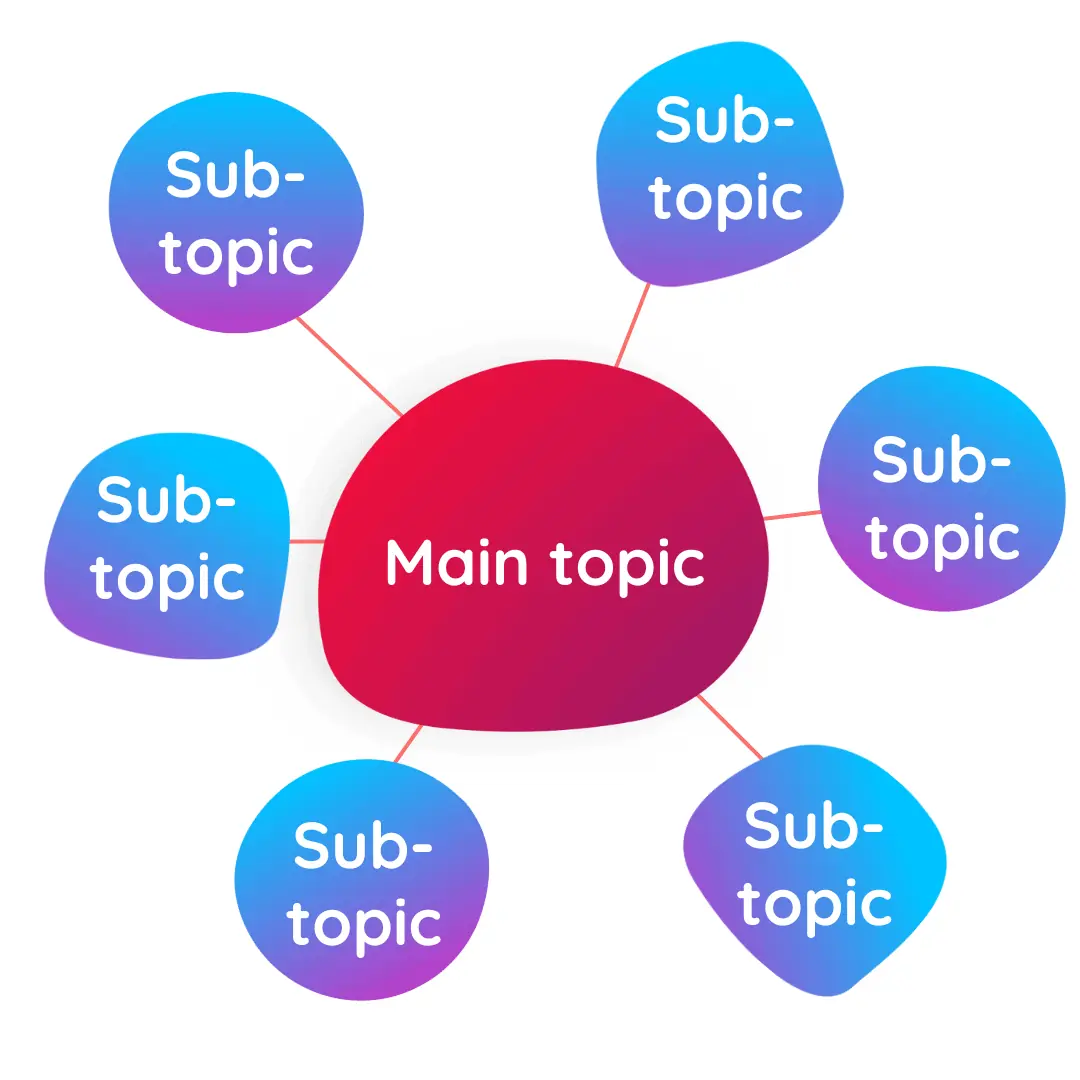
Whether you know them as ‘topic clusters’, ‘content pillars’ or ‘hub and spoke’ – these content models all boil down to the same thing.
The model includes three core features:
These clusters are effectively another way to create an information hierarchy on your website, by linking together content that focuses on the same topic – but from different angles or to satisfy different search intent.
The amount supporting content can vary from a couple of pieces of content, through to hundreds of additional pages – depending on the breadth of the topic cluster and available opportunity to get traffic and provide value from subtopics.
A topic cluster might look like:


A topic cluster can help to:
It’s important to note that topic clusters themselves aren’t an official ranking factor – in fact, they’re not even created by Google (or another search engine!). The concept was created as a way of structuring content marketing efforts in order to best meet the guidelines from Google and other search engines.

While topic clusters themselves aren’t a direct ranking factor, we do know that lots of the things they achieve do have a positive impact on SEO results, such as:
While adding high-quality, relevant content to your website is always a positive, a topic cluster is a big investment of either budget or time, depending on how you create your content. It requires plenty of research both at the keyword research stage and whilst creating each piece of content and ensuring the cluster is accurate and comprehensive.
If you’re regularly creating content anyway, then this is less of a downside – it’s potentially a better use of your budget if your business model allows you to hold off on other areas so that you can focus on one topic at a time.
The other challenge is that if either the keyword research or content creation is rushed, you won’t get the investment you should from your cluster. At the keyword research stage, take the time to look at competitors in your industry (or similar industries), the traffic and their current SEO efforts as well as the keywords for your cluster. You want to be as confident as you can that your site has the potential to rank for the topic you’re targeting, and that the topic is likely to drive the right visitors to your site.
With content creation, remember that while it’s easy to churn out content quickly with AI, the content that’s more likely to perform well is that which includes original research, data, experience and opinions – and that all takes time, and often budget, to put into place.
Your overall topic will become the basis of your ‘pillar’ or ‘hub’ page – this is the key page that will provide the broadest overview on the topic and signpost visitors to further resources.
If you haven’t created a topic cluster before, then it’ll probably be easy to come up with your initial topic ideas as these will be related to your product, service, a key customer vertical or another important aspect of your business.
Once you’ve created a few it might take a bit more digging through topic ideas that are important to both your business and your customers to find the right ones. Creating a topic cluster is a big commitment – so you want topics that are valuable to your target customers, but also beneficial to your business.
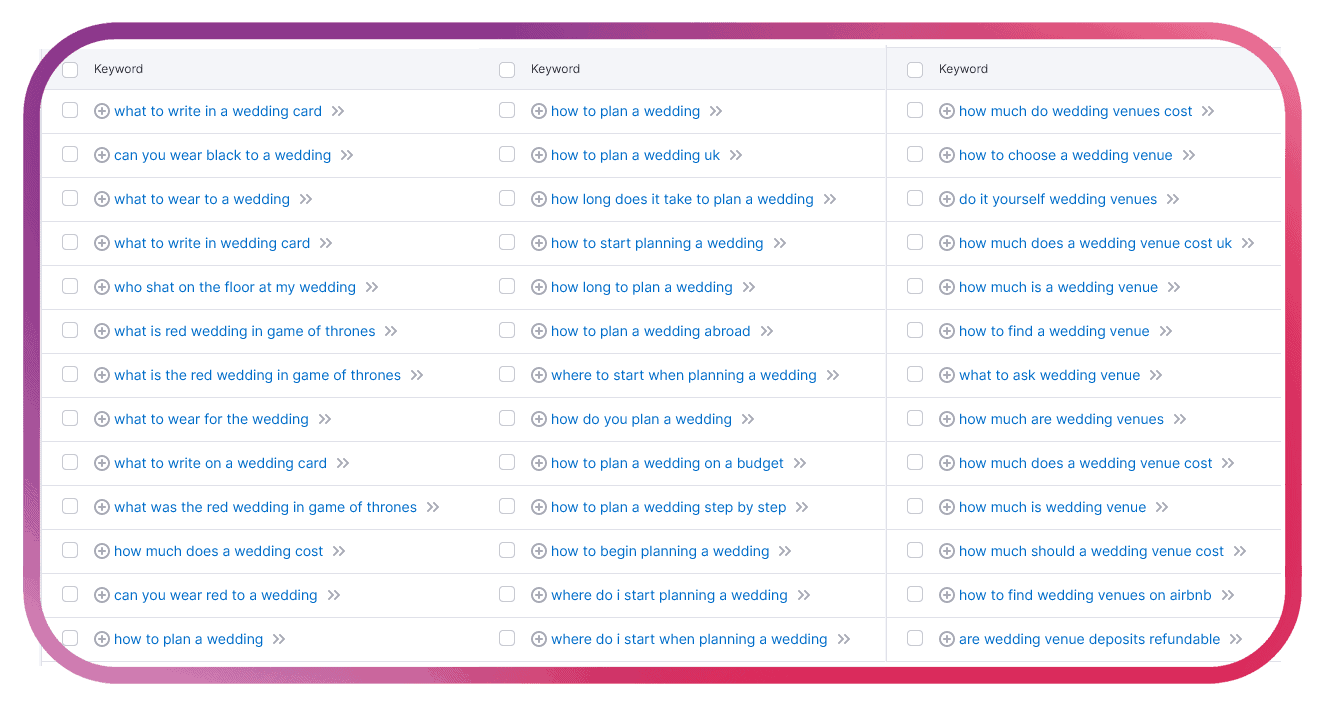
An important part of this stage is to clarify that your topic idea has enough traffic (and low enough competition) to make sense for you to target, and also that it’s neither too broad or too narrow. You’re looking for a topic where there are plenty of subtopics with informational intent, which will allow you to create enough content for visitors at the start of their search journey.
The image above shows results from Semrush’s Keyword Magic Tool for ‘weddings’, ‘wedding planning’ and ‘wedding venue’. ‘Weddings’ is too broad for a topic cluster: the keywords are for too many different audiences. The other two keywords have more potential for a topic cluster.
Once you’ve decided on your overall topic, you can start to build up a list of potential subtopics.
On paid tools such as Ahrefs and Semrush, you can use explorer tools. I use Semrush and the Keyword Magic Tool suggests related keywords for your original keyword. There’s also a ‘questions’ selector which gives good ideas of the pages you might want to include.
If you don’t have paid tools available, there are still ways to build up your subtopics. Free or freemium tools include:
The image below shows results from Google’s ‘People Also Ask’ section and AlsoAsked for the topic ‘wedding planning’.
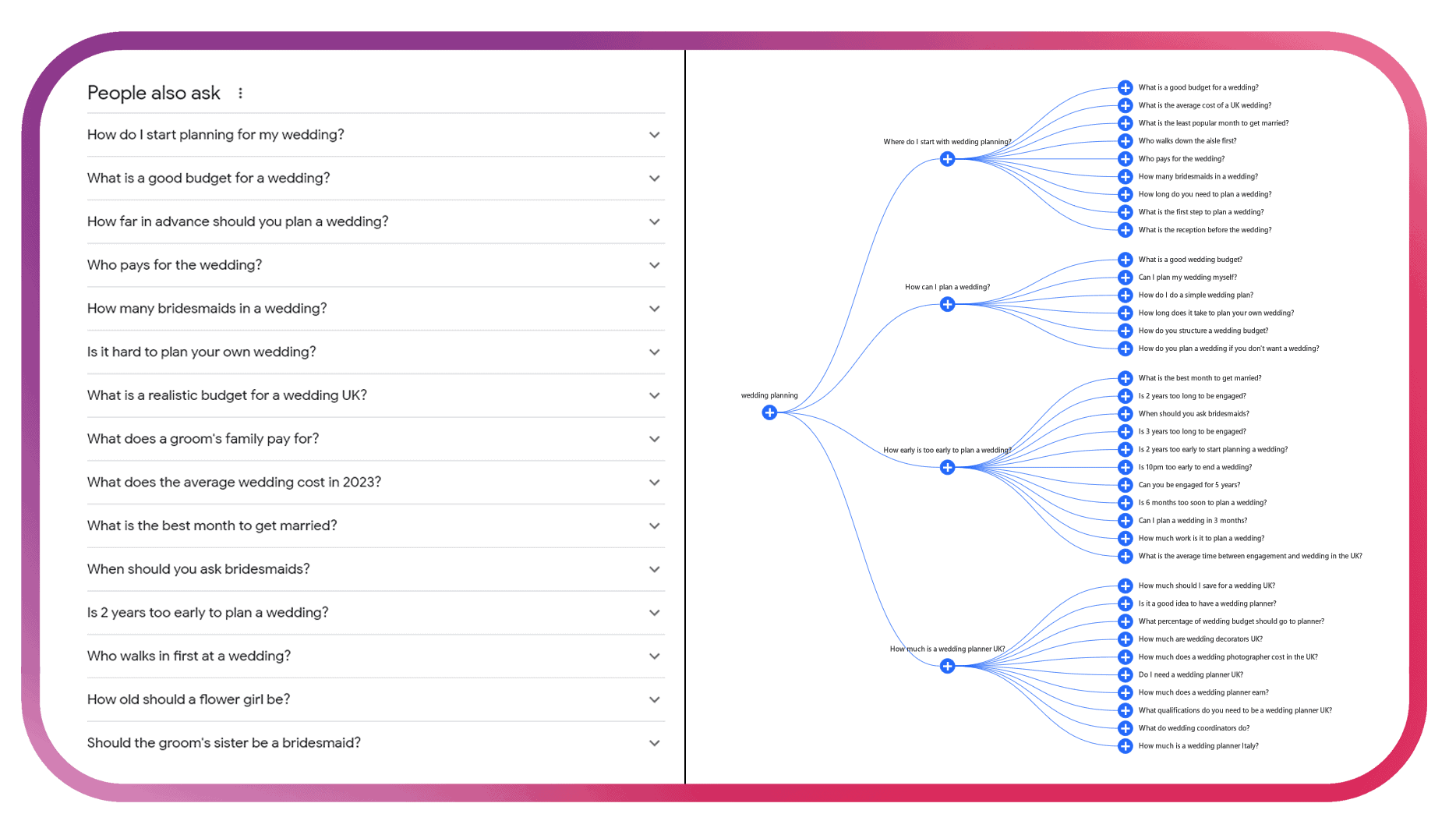
Look for keywords that have high enough search volume and/or low enough competition to be worth the time or budget of content creation. This can look different for each industry – some B2B industries have more niche keywords which are worth targeting despite lower search volumes, whilst for a popular B2C industry there might be more ideas for higher search volume but the keywords need filtering for difficulty. Keep in mind that a topic cluster is more comprehensive than a single page, so while higher-difficulty keyword rankings rely on more than just content, don’t rule out the possibility entirely (especially if you’re busy working on other areas of your SEO!)
The next step is to make sure that you’re not creating multiple pages which could rank for the same keyword (called keyword cannibalisation). Pull all the potential subtopic keywords and questions into a spreadsheet and group any together which are likely to include very similar content. If the list is long, you’ll probably be able to do this manually. For a longer list it’s worth experimenting with tools like ChatGPT or using fuzzy lookup.
Once you’ve created your final list, check the search intent for the keywords. You may find that there are multiple stages of the purchasing funnel included within these subtopics, and that different types of content are needed to meet them. For example, if you were creating a topic cluster on digital cameras, you might have content about the best digital cameras for travel (awareness/consideration), reviews on a specific camera (consideration/conversion) and how to set up a long exposure shot (loyalty).
One of the jobs that internal links do is show search engines which pages of your website you think are the most important. The more internal links pointing to a page, the more important you’re indicating it is.
Because of this, you need to link from each subtopic page back to the main pillar page to show that it’s important. This could be as part of the text, or through a call-to-action to find out more.
In many cases you’ll also link from the pillar page to the subtopics, for example when the pillar page provides a guide and links to additional resources for each section. But if your subtopic pages are numbering in the hundreds, this isn’t practical – either to put in place or maintain! – so just link to the most appropriate subtopic pages.
You may also find that you can add some internal links between various subtopic pages. This might be for closely related questions or a logical follow-on to a particular subtopic. Creating relevant links is a positive, but don’t feel the need to try and interlink every page to every other subtopic page – this will likely do more harm than good as it makes it unclear which page you see as the most important (which should be your pillar page!).
Once your content’s live, you can submit the URL to Google Search Console to help speed up the process of discovery and indexing.
Depending on your budget and current tools, you can either set up keyword rank tracking with a paid tool such as Semrush or Ahrefs, or use free tools such as Google Analytics and Google Search Console to check rankings and monitor traffic coming through to those pages.
At HeyYou! Digital, we provide an outside perspective and implementation of SEO – from SEO and content audits, through to SEO migrations, strategies and ongoing implementation. Get in touch via 📨 hello@heyyou.digital or 📞01159 902779 to have a chat about how we can help.
Sign up to our newsletter for SEO knowledge, updates and ideas every Friday.
Here’s some more SEO tips and advice to keep you going until the next installment…


